Expression & Automation is core
Editable points, curves, freehand pitch gestures, dynamics, pan, vibrato, portamento, and per-note performance controls ship as part of the base editor.
A note can belong to another note by a 3:2, 5:4, 7:4, or any ratio you draw. Change the root or rewrite the harmony and the relationships resolve with the piece. This is composition with a living harmonic graph, not cent adjustment after the notes are written.
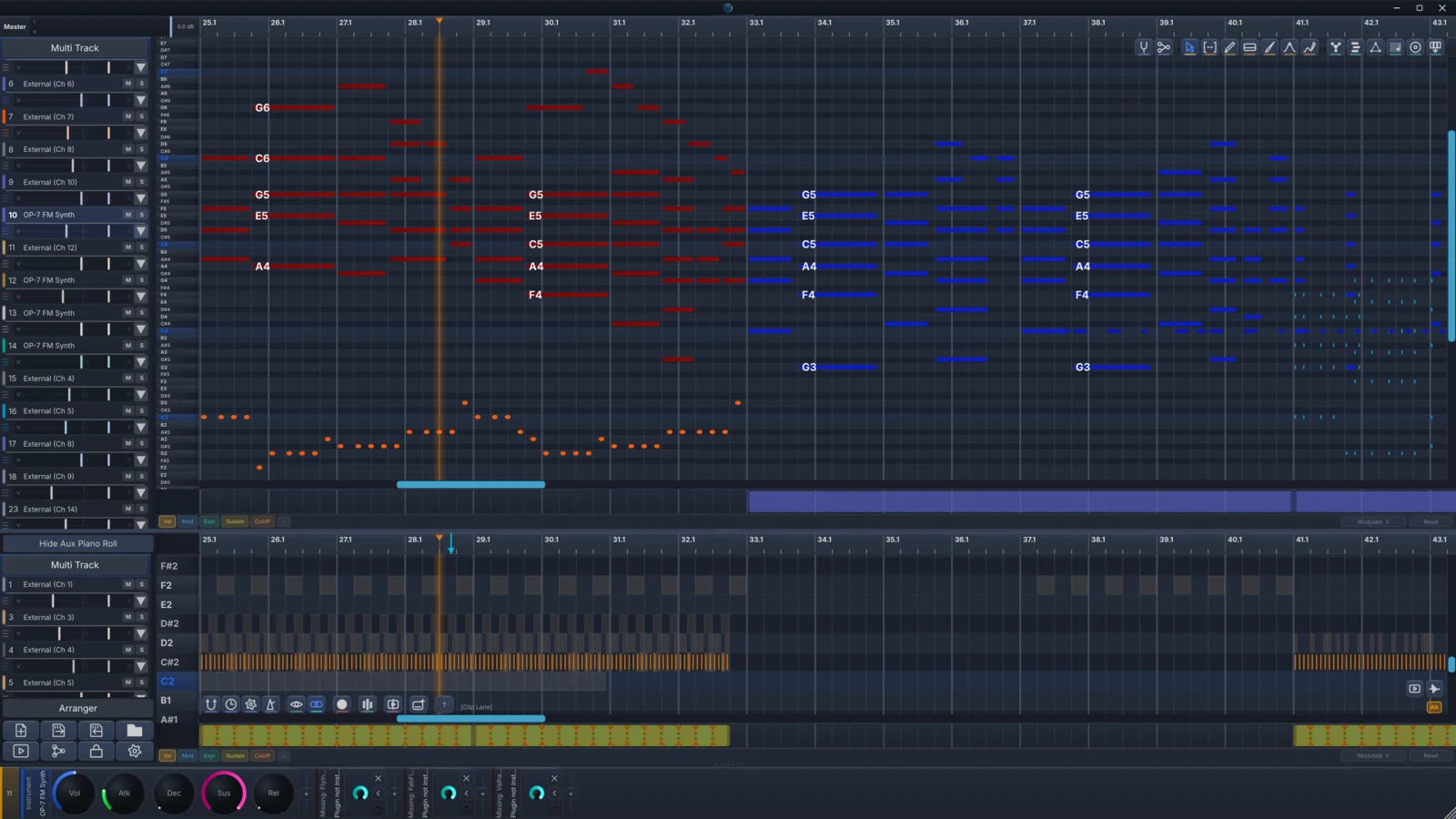
Record or draw notes, arrange them in clips, switch between piano-roll and score views, and edit pitch, dynamics, pan, vibrato, and portamento per note. Add-ons work on the same notes instead of flattening them into a new format.
Editable points, curves, freehand pitch gestures, dynamics, pan, vibrato, portamento, and per-note performance controls ship as part of the base editor.
Compose by authoring the relationships that make notes belong together.
Compose the reason every note belongs.
Draw exact relationships between notes, make chords carry their own harmonic logic, and let progressions resolve from moving roots. The pitches follow the composition, not the other way around.
A master note can anchor an entire web of voices. Move it, replace a ratio, or change which note another note follows. The sounding pitches resolve from the relationships you authored.
The graph stores why each linked note belongs in the harmony, not only the frequency it happened to receive.
Compose freely with relationships, or bring in JI, EDO, and Scala structures when the piece calls for them.
Root Path Tune and linked masters can retune a progression while its structure remains editable.
Shape notes, gestures, chords, and rhythm directly in the piano roll.
Build chords that understand their own tuning.
Detect voicings, explore harmonic suggestions, and create exact-ratio links from the chord structures you choose.
Select a root or partial voicing, browse compatible structures, then place a complete chord whose voices keep exact harmonic links.
The system expands the harmony you started and preserves its root relationship.
Choose inversions and richer templates while preserving the intended root relationship.
Created voices arrive tuned and linked, ready for later graph edits.
Turn a selection into a performance.
Keep every note editable as you add groove, strum, arpeggiation, voicing movement, and repeatable logical transformations.
Preview groove, strum, arpeggiation, and voicing movement on selected notes, then keep editing the transformed result.
Different chord groups can receive different voicing, strum, and arpeggio values in one pass.
Preview typed selection rules and actions before applying them destructively.
Humanization can preserve the phrase identity while loosening timing, velocity, and length.
Local models join the composition process while every phrase stays on your machine.
Continue the idea under your direction.
Ask a local symbolic model to extend a phrase, then bring the generated notes back through DonutStudio's harmonic tuning system.
Start from unfinished MIDI, generate a compatible continuation, then run the new notes through the same harmonic tuning and editing tools as your own material.
The result is note data you can move, delete, reharmonize, and perform.
The optional environment and model install on the machine and run locally.
Generated notes return through the harmonic graph for project-aware tuning.